
A guided tour of CoreClef
See how our studio management works for teachers, students, and parents.
For Teachers
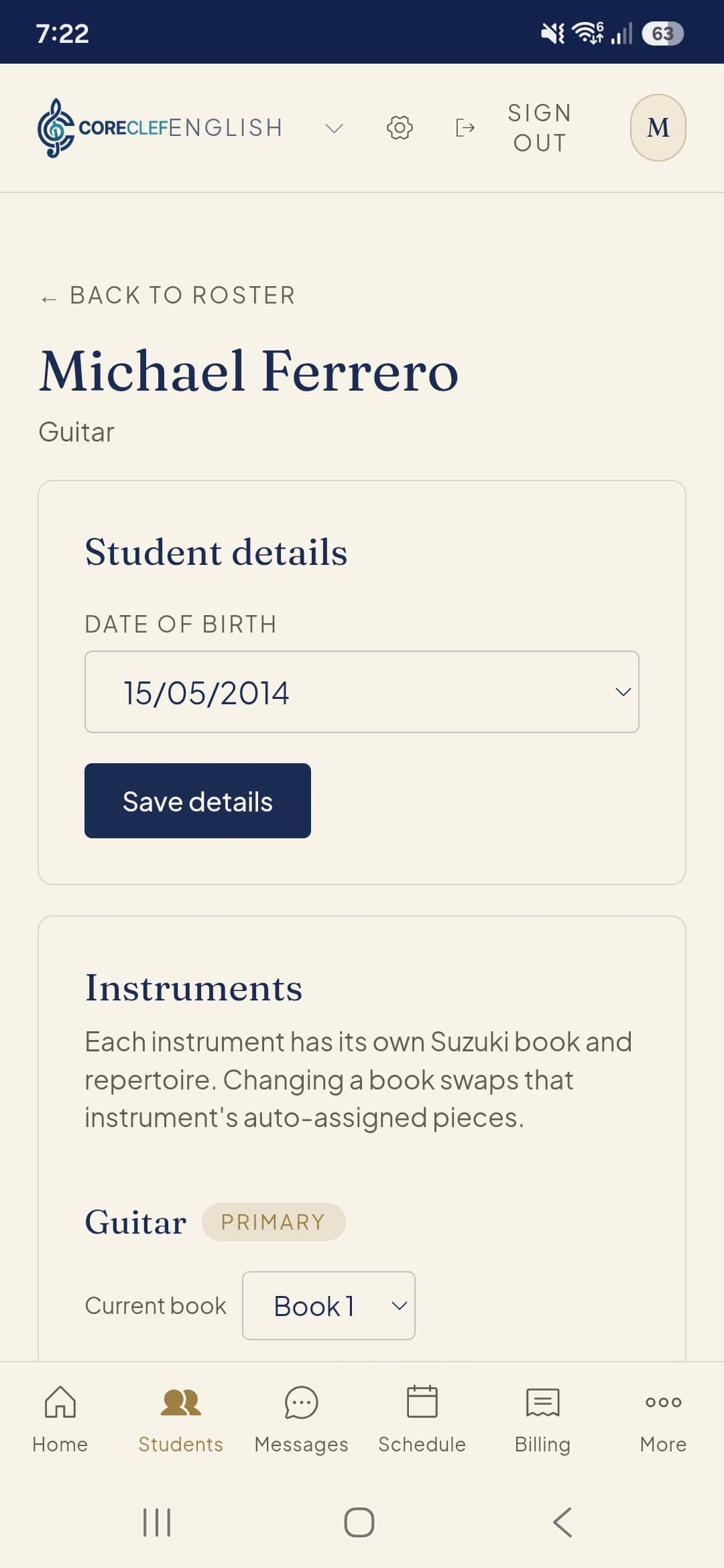
Manage your complete student roster, update details, and set their primary instrument and method book.
For Teachers
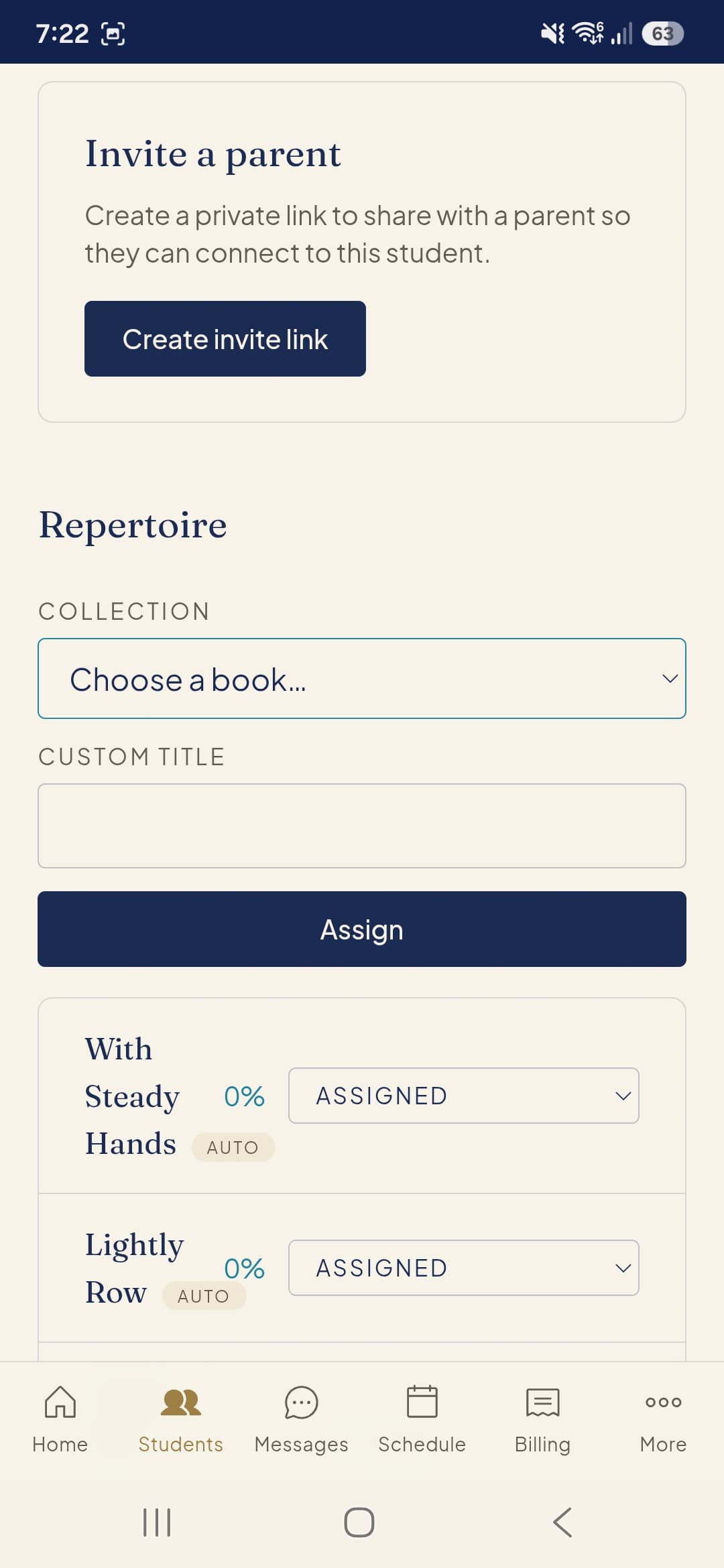
Invite parents to connect and assign specific repertoire from method books directly to a student's journal.
For Teachers
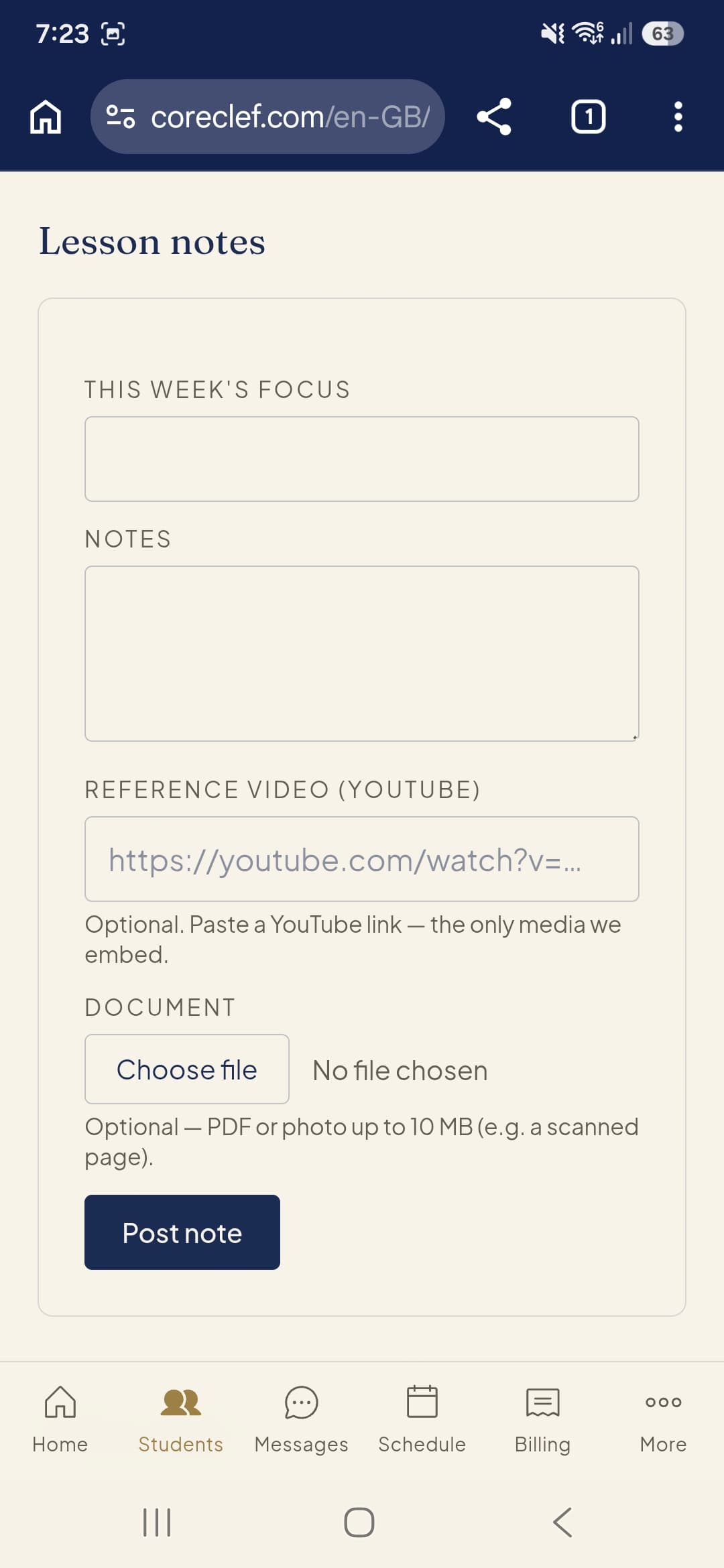
Write detailed lesson notes, including weekly focus, reference videos, and document attachments for home practice.
For Teachers
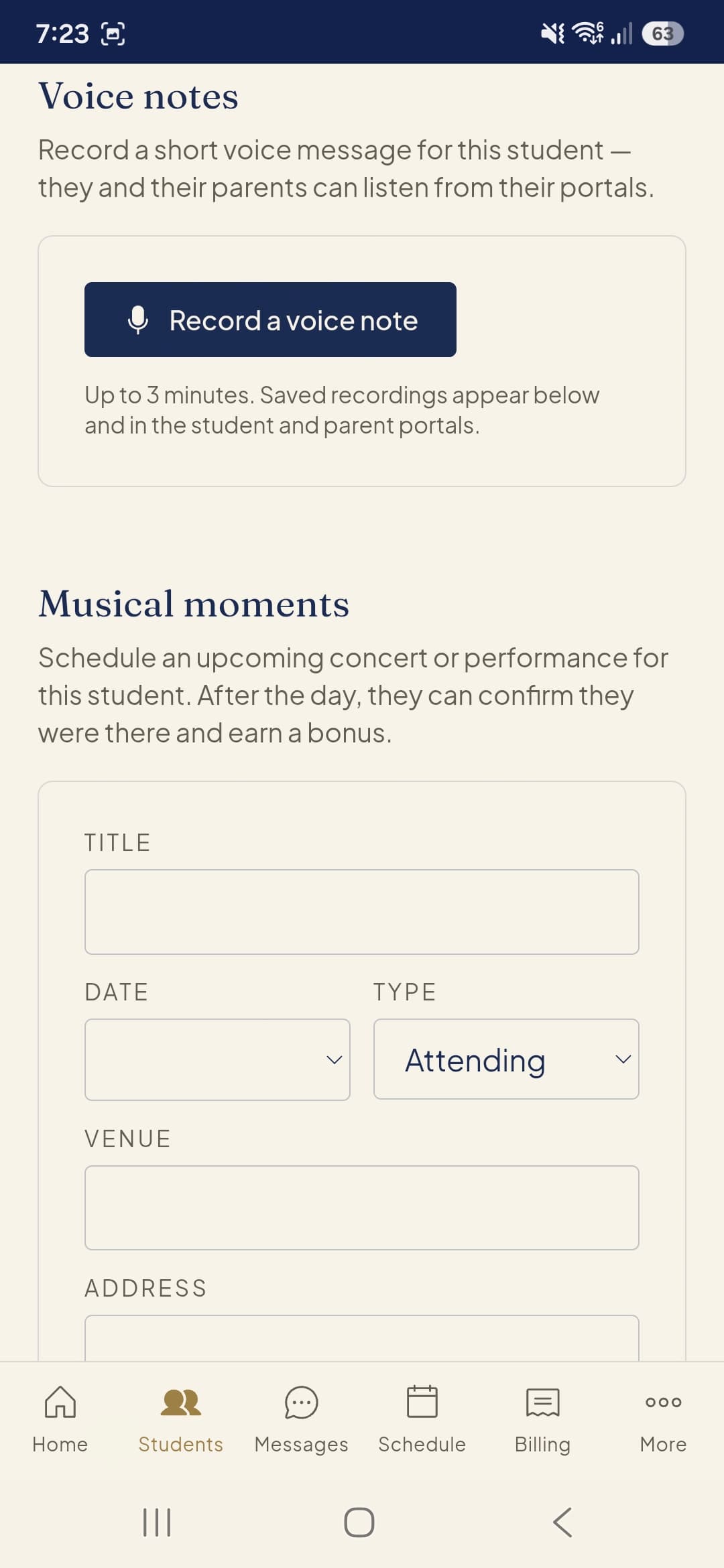
Record voice notes and schedule upcoming musical moments like concerts and performances.
For Teachers
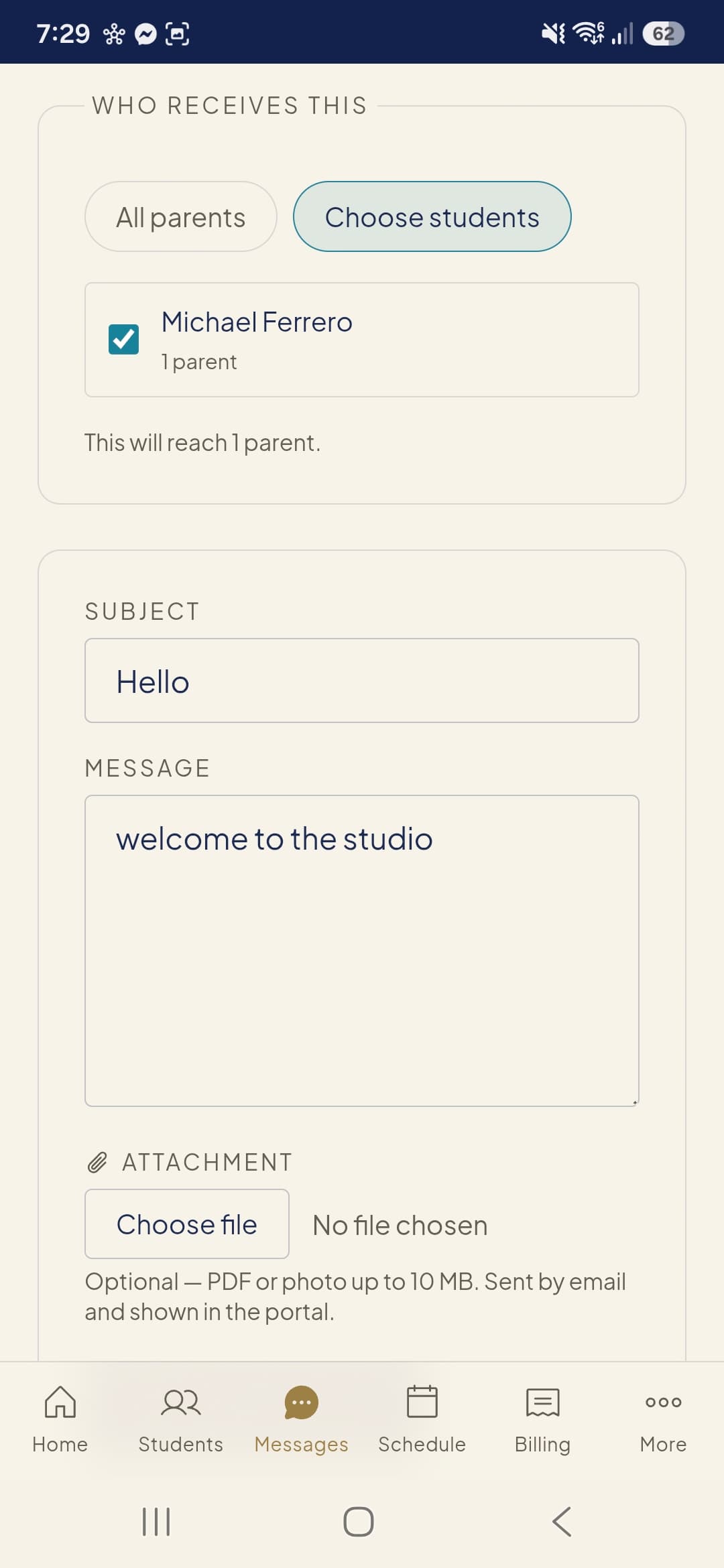
Send studio-wide messages or targeted announcements to specific parents and students.
For Teachers
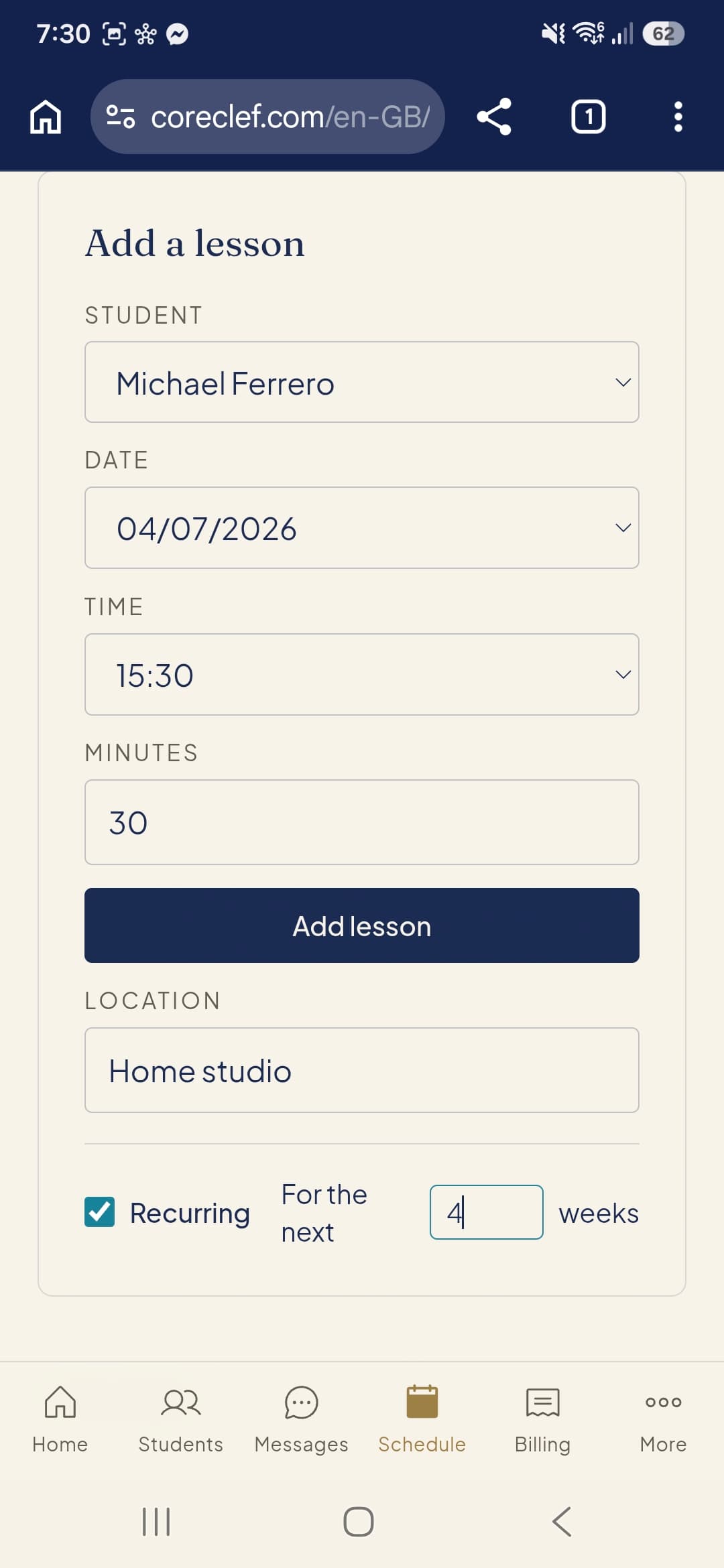
Schedule individual or recurring lessons easily with custom durations and locations.
For Teachers
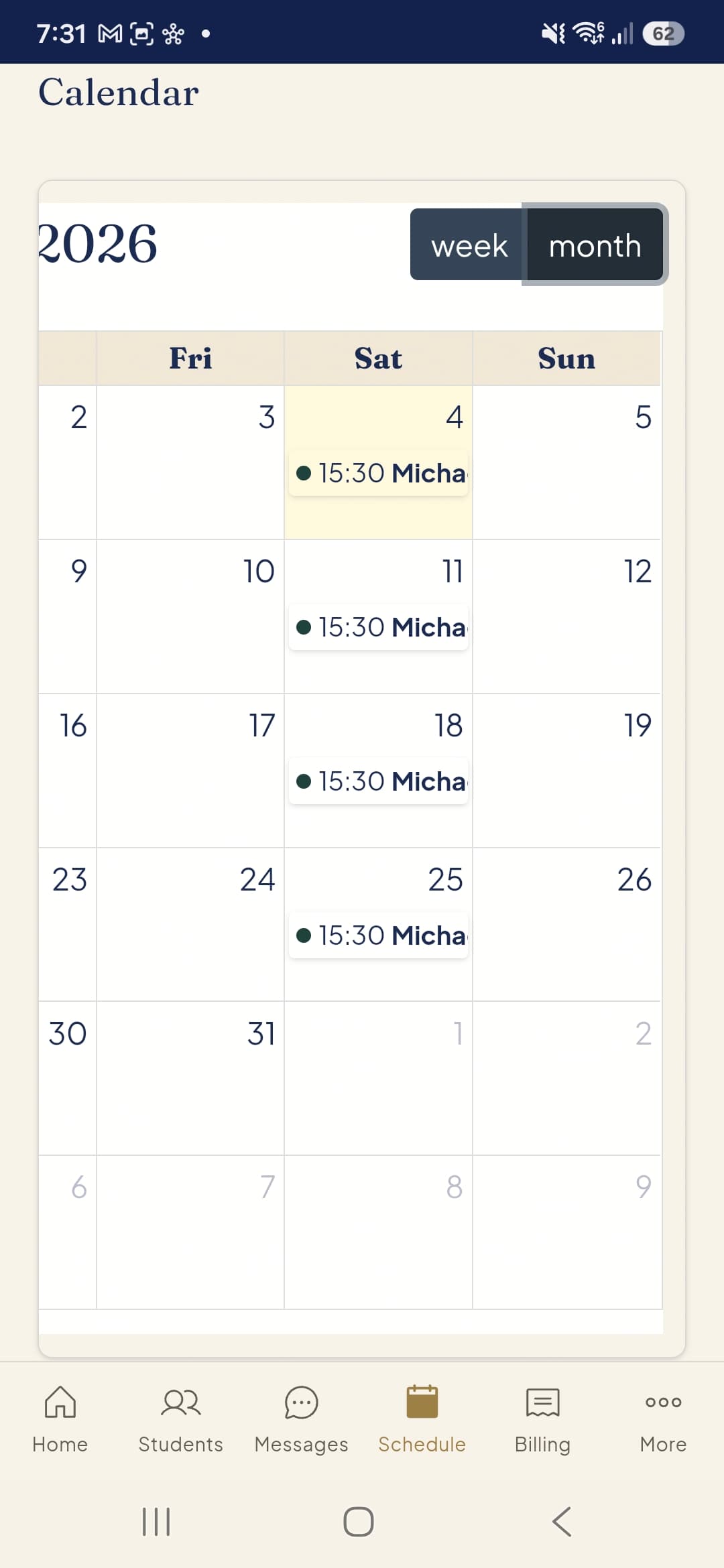
View your complete teaching schedule at a glance with weekly and monthly calendar views.
For Teachers
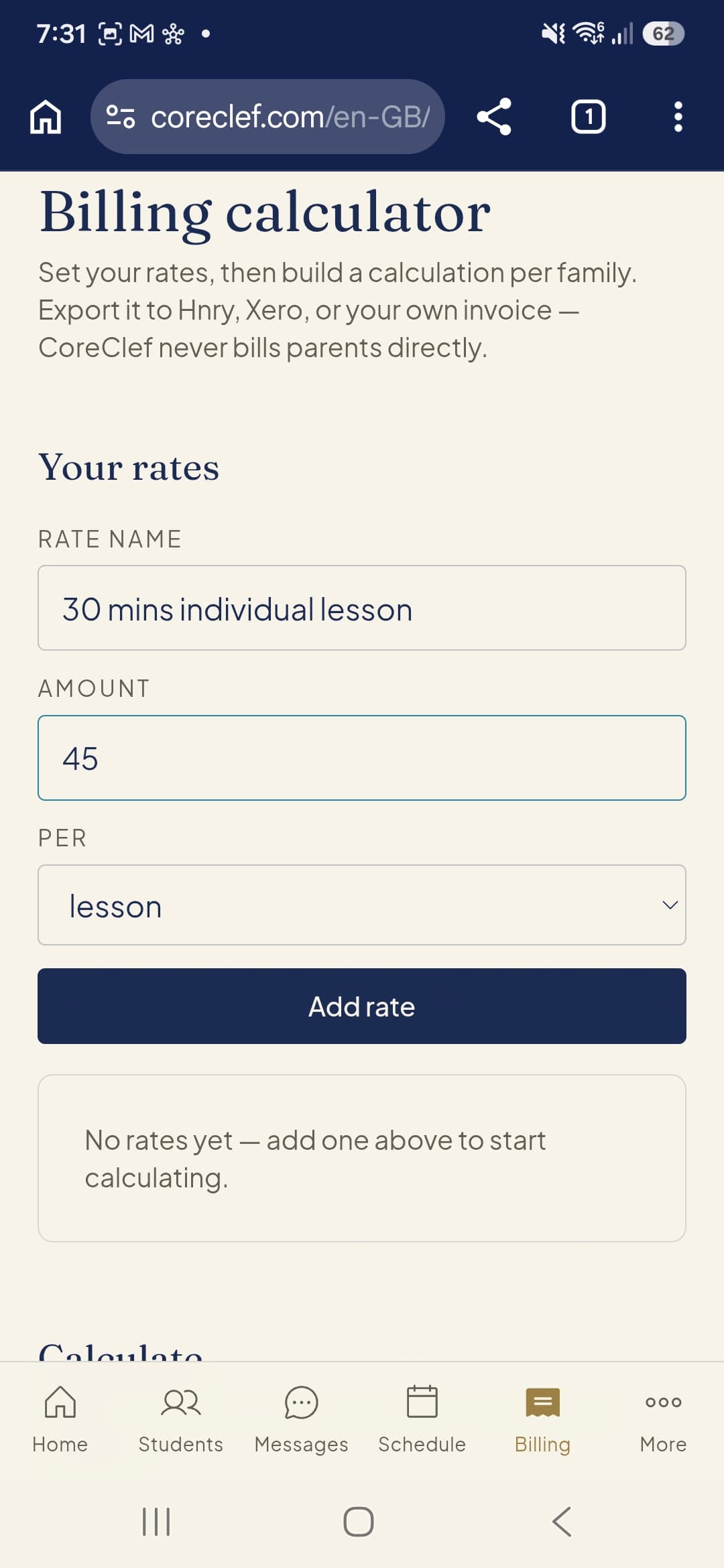
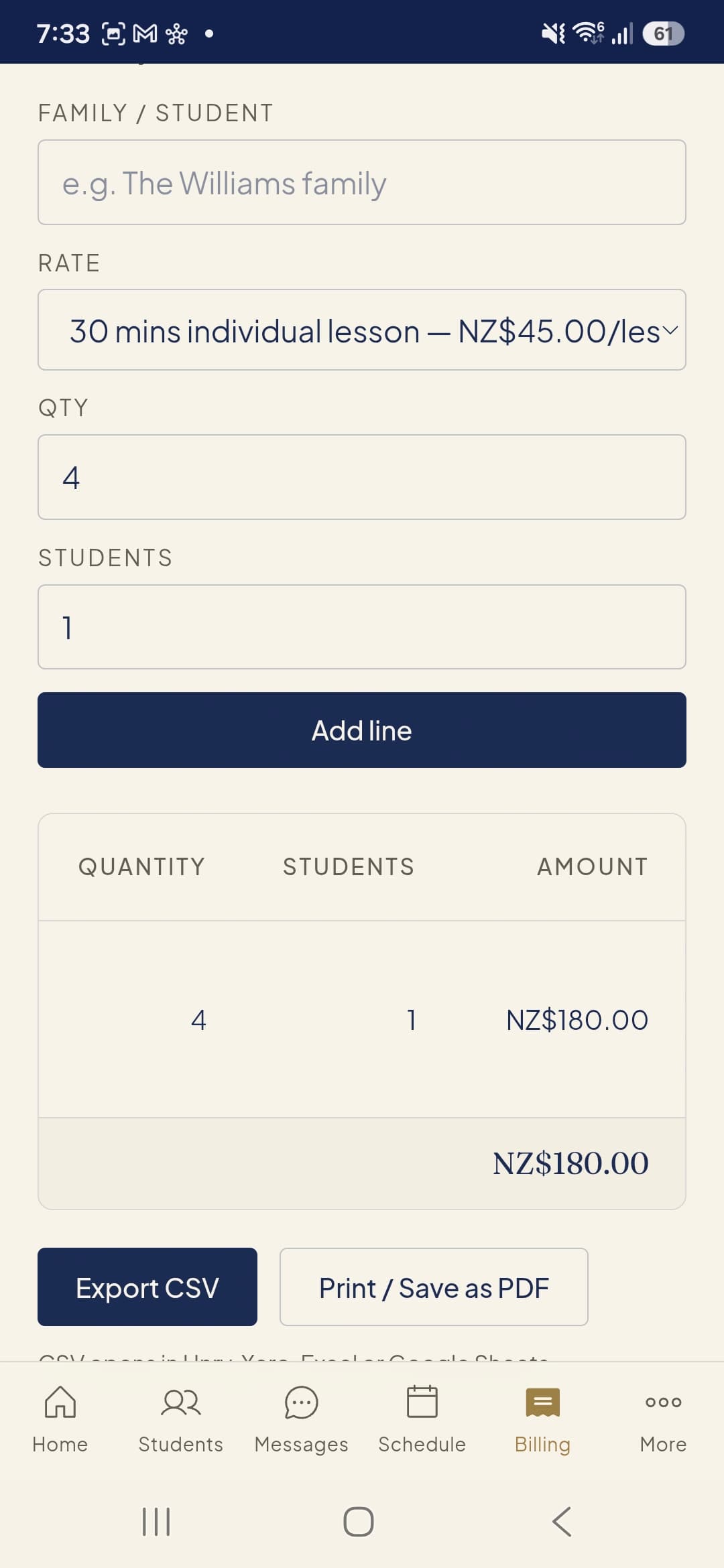
Set up custom billing rates for different lesson types and durations.
For Teachers
Calculate term fees per family and export invoices as PDFs or CSVs for your accounting software.
For Students
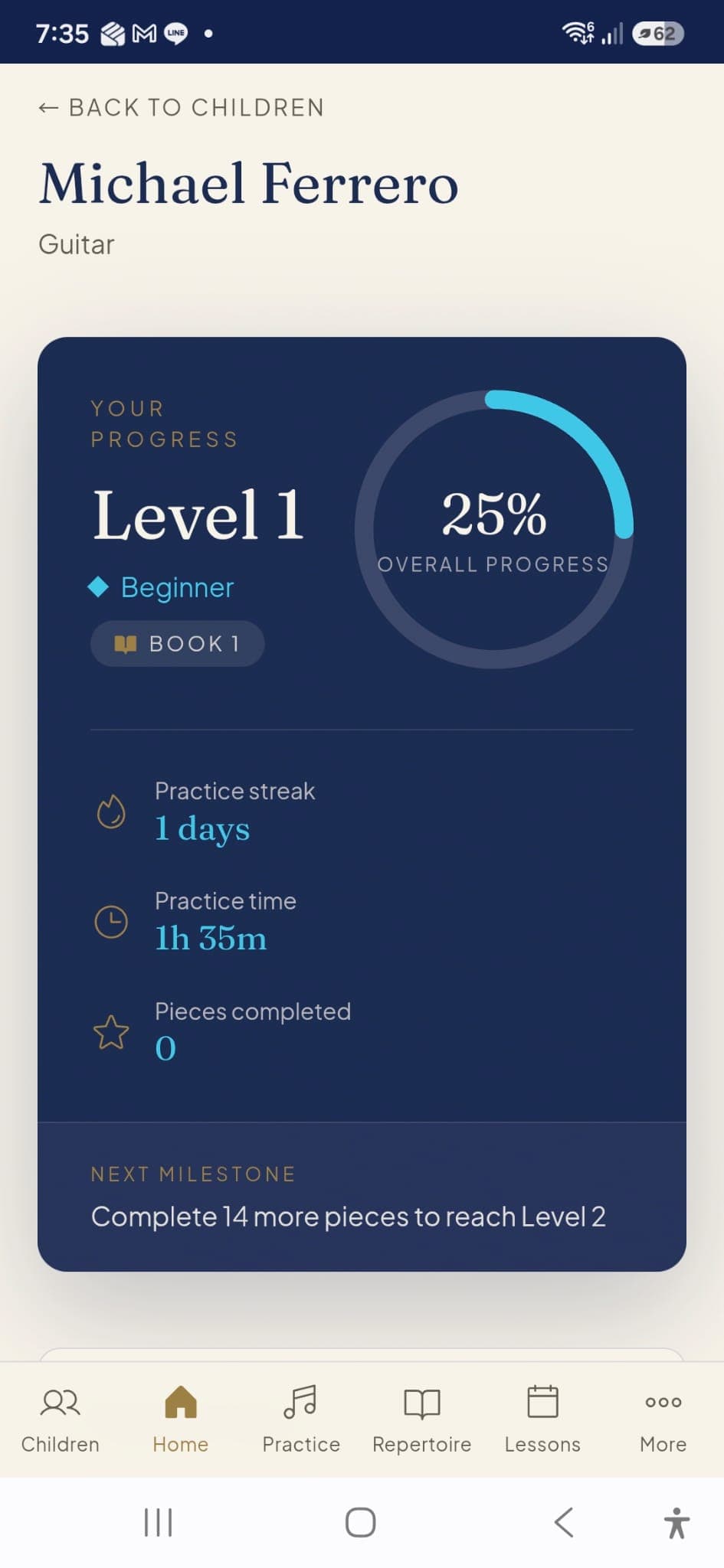
Track your overall progress, build your daily practice streak, and see your next milestone.
For Students
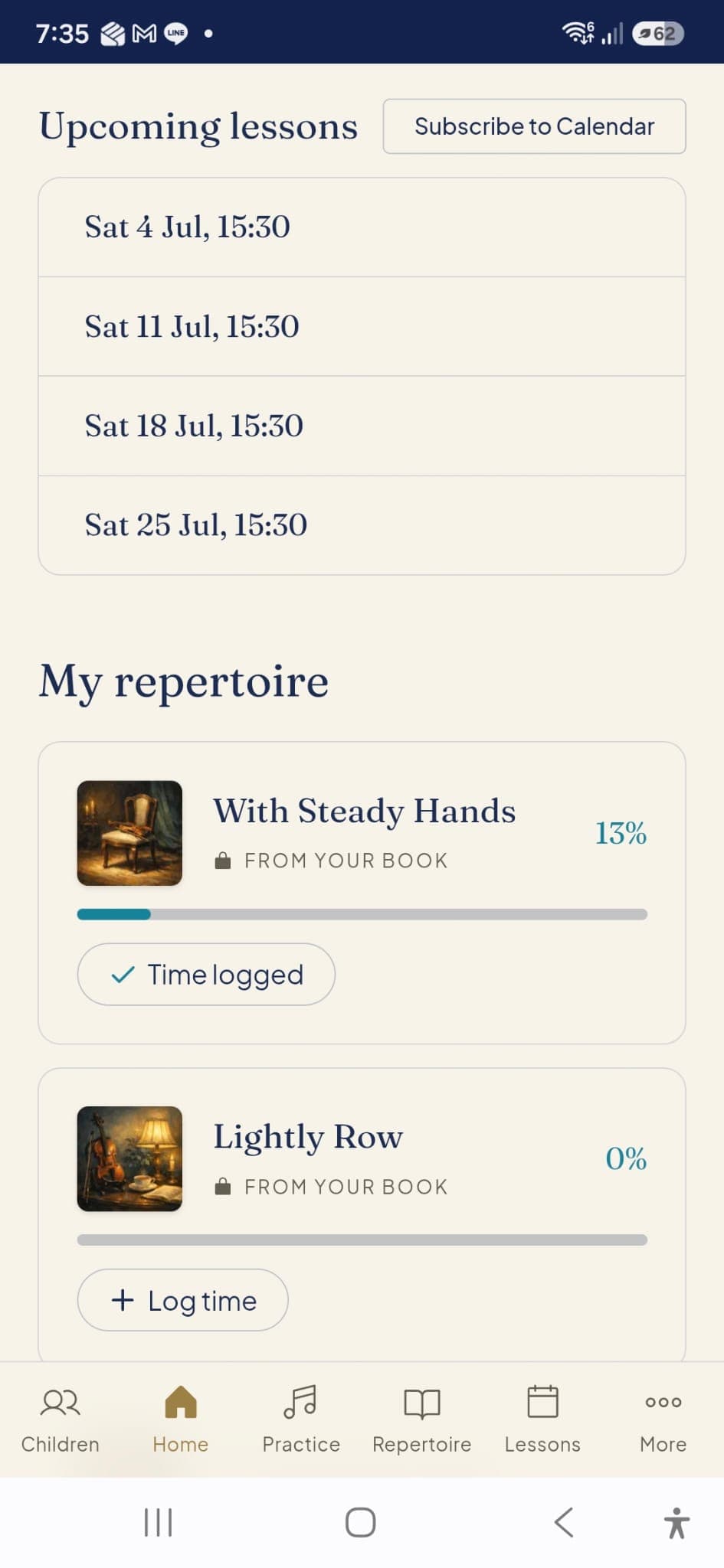
View your upcoming lessons and see exactly which pieces in your repertoire need practice.
For Students
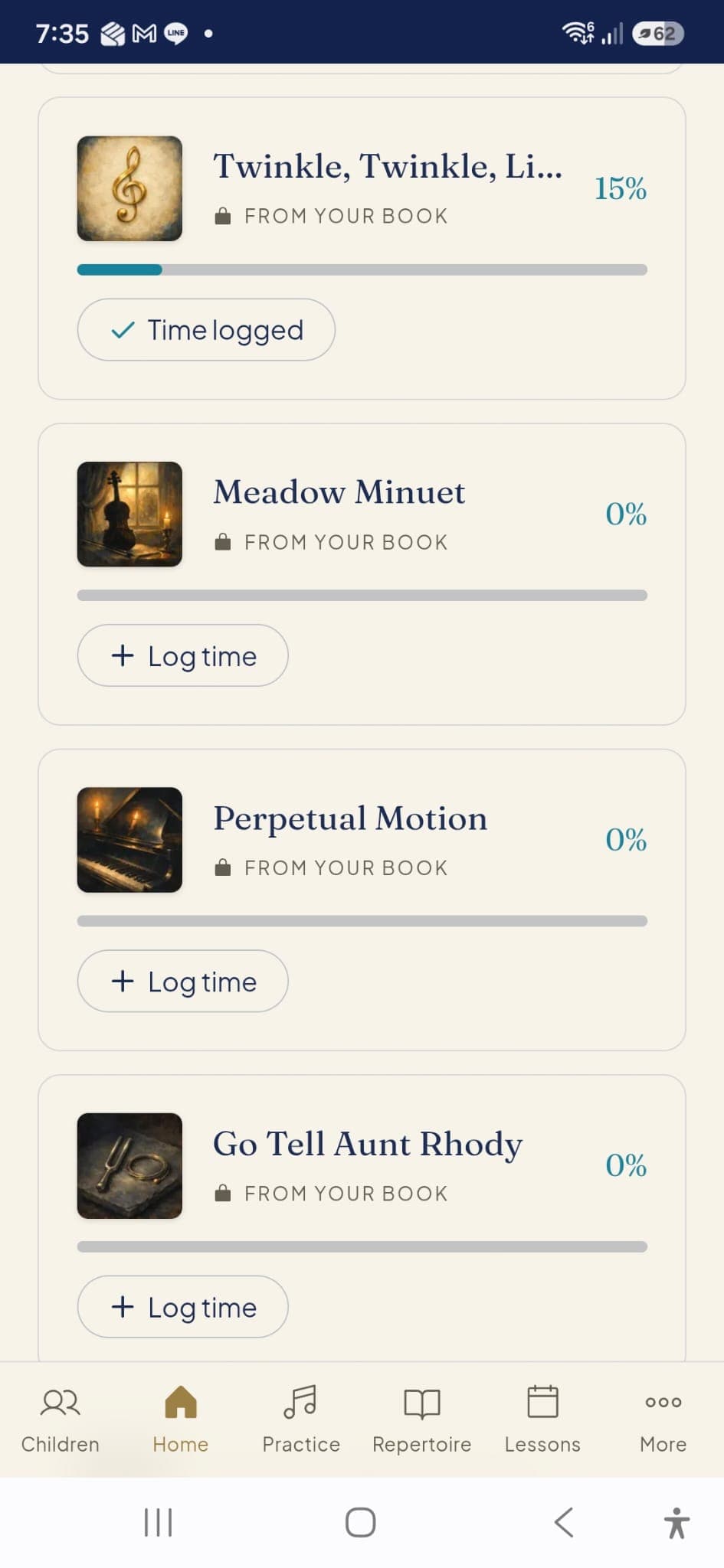
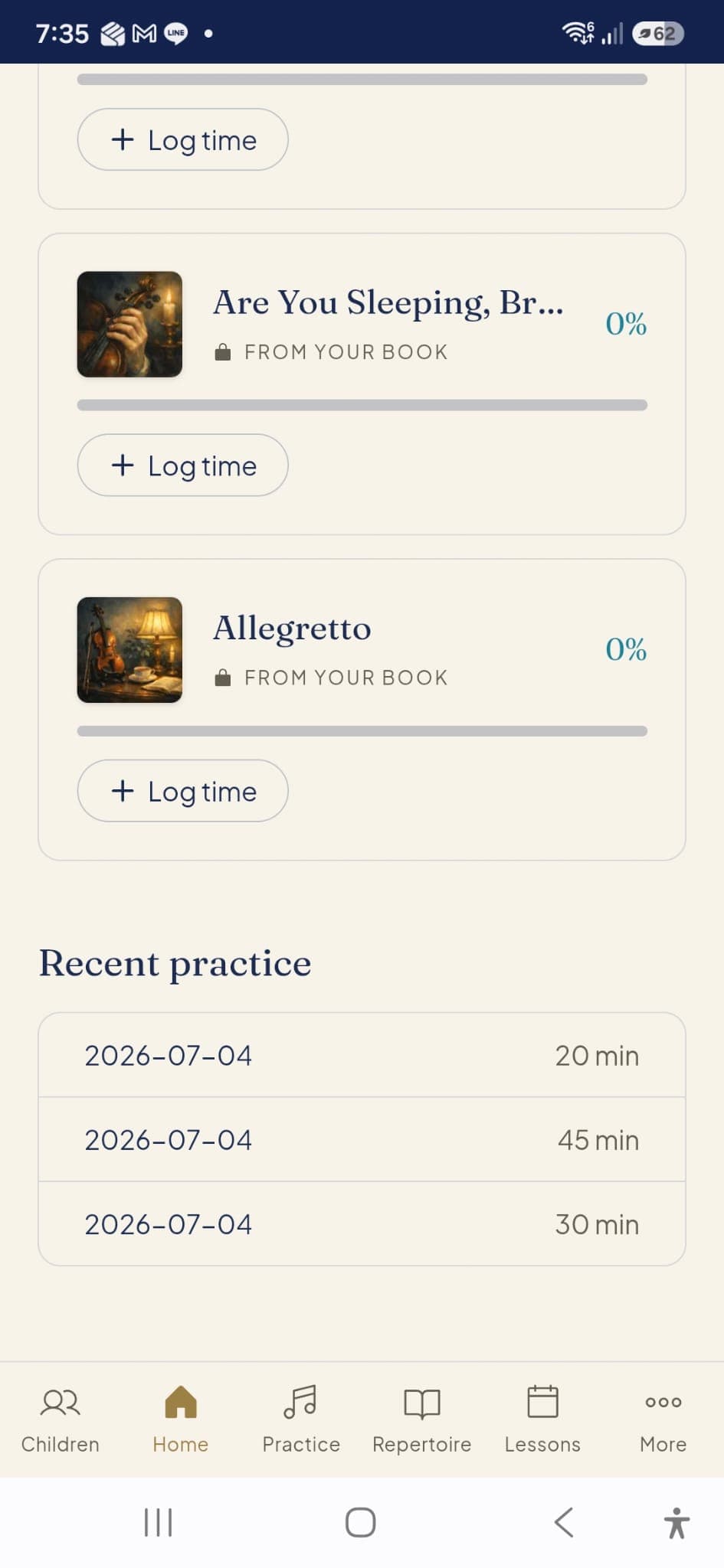
Tap to log your practice time for specific pieces directly from your assigned method book.
For Students
Review your recent practice history to see how much time you've dedicated to learning.
For Students
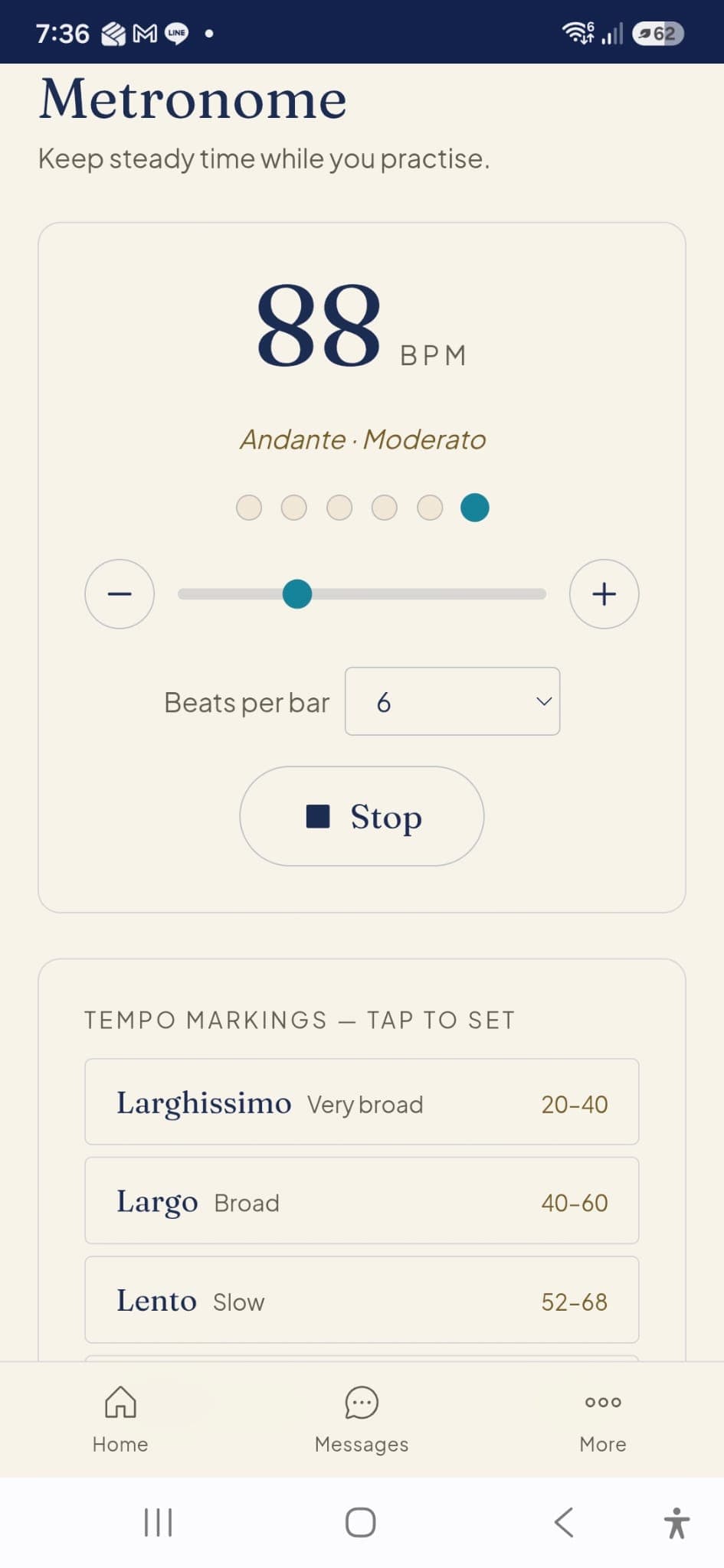
Use the built-in metronome to keep steady time while you practice, with handy tempo markings.
For Parents
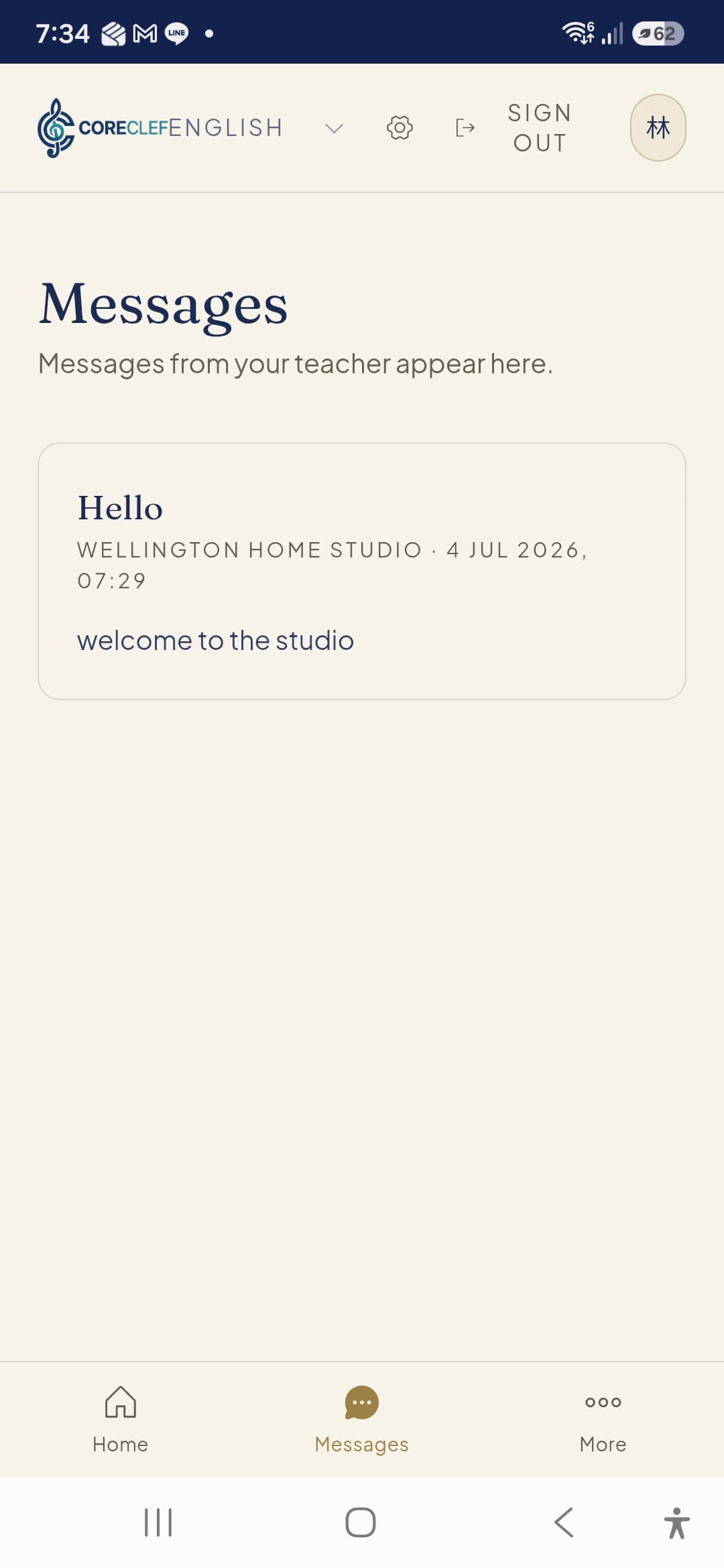
Stay connected to the learning process. Receive direct messages and important announcements from your child's teacher.